Three checks can help you trace a muffled phone speaker: examine the grille, consider recent moisture exposure, and verify audio routing. Lint, fabric fibers, and skin cells can collect in speaker openings, as speakercleaner.com describes. Check the case and connections before gently cleaning visible debris. If the sound stays muffled after those checks, the speaker may need an assessment.
Why does my phone speaker sound muffled?
Muffled audio is sound that comes through quieter or duller than you expect from the built-in speaker. Pocket lint, dust, skin oils, and other debris can collect in the speaker grille and obstruct sound, according to asurion.com. A blocked grille can make voices or music seem less clear without any change to the volume control. Moisture can produce a similar result for a different reason. popsci.com explains that liquid across the speaker membrane dampens its vibration, making sound seem as if it is underwater. A poorly aligned case, an equalizer setting, or Bluetooth routing can also make the phone’s own speaker seem quiet.
Which speaker or audio path is affected?
Check whether the muffling occurs during media playback, phone calls, or both. Play audio through the built-in speaker with any connected Bluetooth device disconnected, then compare it with a different app or recording. phonerepairguru.com suggests recording a short voice note and playing it back as one way to check whether the low sound persists across apps.
If only one app sounds dull, note that when you inspect its sound settings. If several kinds of audio sound muffled through the same opening, inspect that grille. This comparison helps you choose a useful check, but it does not diagnose a damaged speaker on its own.
What should I check to clear muffled sound?
Start with checks that do not require opening the phone. After each, listen to the same short piece of audio so you can tell whether the sound changes.
- Remove the case and check that it is not covering a speaker opening; raise the media volume and disconnect Bluetooth audio.
- Restart the phone to clear temporary software glitches, then play the audio clip again to check if the sound changes.
- Look at the top and bottom speaker grilles under good light for visible lint or dust.
- If you see debris, clean the grille gently with a dry, soft-bristled brush.
- If the sound changed after liquid exposure, let the speaker dry and check it again before arranging help.
How do I clean a blocked speaker grille?
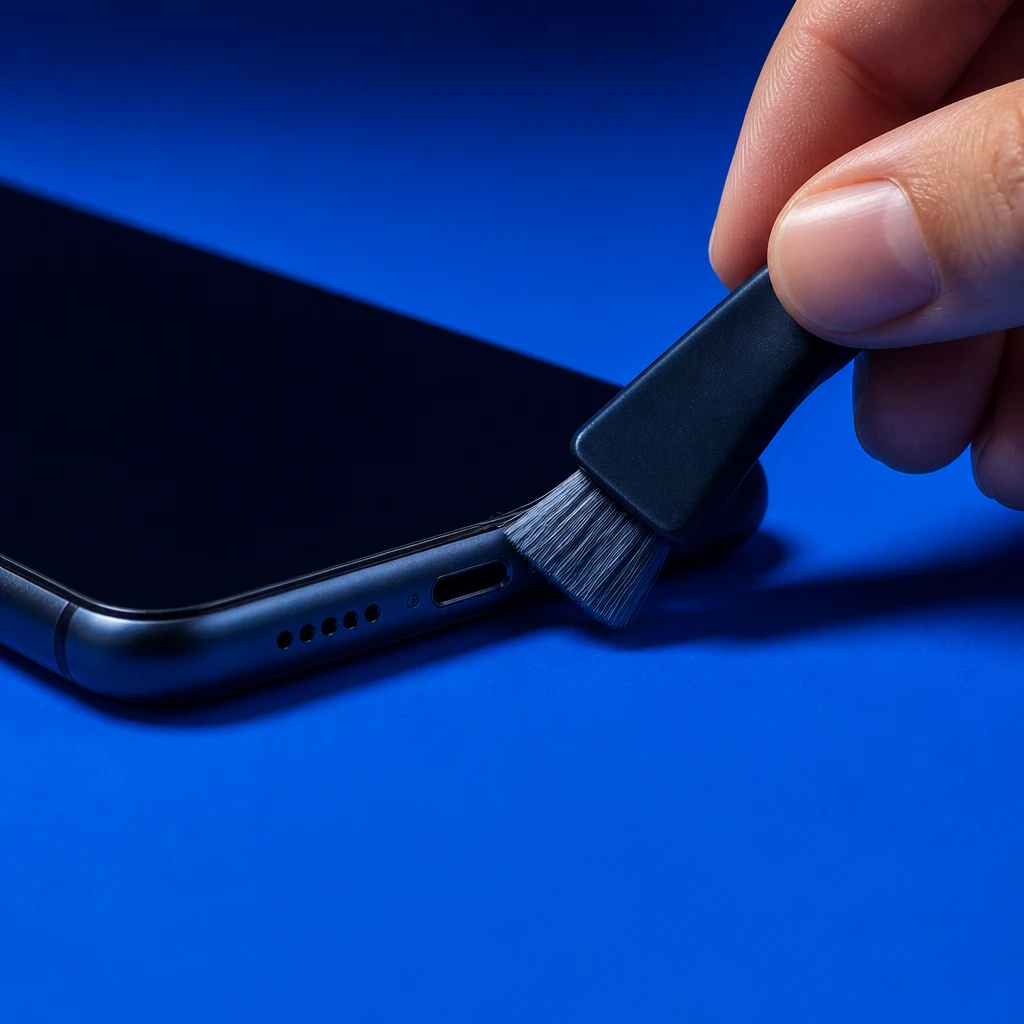
Turn the phone off before cleaning, then use light strokes on visible debris rather than pressing into the mesh. puretalk.com advises gently brushing across the grille at an angle with a dry, soft-bristled brush so loose material moves outward.
Avoid toothpicks, sharp metal tools, liquid sprays, rubbing alcohol, and canned compressed air; puretalk.com warns that these can puncture the mesh or push dirt inward. If brushing does not clear the port, puretalk.com suggests lightly pressing adhesive putty or mounting tack against the grille to lift debris away without forcing material into the holes. Alternatively, Times of India recommends using short bursts from a manual air bulb blower, which safely dislodges loose dust unlike high-pressure canned air. Cleaning surface debris may improve a blocked speaker, but it cannot mend an internally damaged part. Stop if the opening looks damaged or you cannot clear it gently.
What if the speaker got wet?
Liquid can remain at the speaker opening and dampen the sound even after the rest of the phone looks dry; keep the opening clear and allow it to dry before testing again. Do not pack the phone in rice: waterejectapp.com says rice does not draw moisture from the grille and can leave dust behind.
Water-eject audio tools use speaker vibration to push out trapped liquid, but they cannot repair internal liquid damage. Guidance from waterejectapp.com outlines setting the volume to maximum, pointing the speaker downward, and playing the vibration tone so the sound waves force trapped water out of the grille. Sound that remains muffled after drying calls for a professional assessment.
Could the case, Bluetooth, or sound settings be responsible?
A case can cover a speaker cutout, while Bluetooth can send audio to another device and equalizer settings can change how the sound comes through; check each against the same audio clip so you can hear the effect. Apple’s support.apple.com guidance for iPhone users includes case obstruction and audio settings among the things to check when speaker output seems wrong.
If the sound improves with the case removed, inspect the fit around the speaker opening before putting it back. If disconnecting Bluetooth changes where the sound plays, verify the selected audio output when reconnecting. A change after adjusting EQ tells you the setting affected the sound, but it does not establish that the speaker hardware is perfect.
When should I ask for a speaker repair?
Seek help from the phone maker or a qualified repair provider if sound remains muffled across apps after the grille, case, routing, and moisture checks. Tell them which speaker opening is affected, whether the problem followed liquid exposure, and what changed during your tests. They can inspect for a blockage or damage that these external checks cannot resolve.